

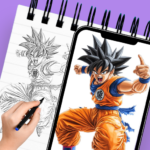
AR Sketch Trace: Anime Drawing is an app designed to assist users in learning how to draw by utilizing augmented reality (AR) technology. It projects images onto a physical surface, such as paper, allowing users to trace the outlines. This process aims to simplify the creation of drawings by providing a clear guide, especially for those who want to practice without needing a physical art book. The app supports tracing various images, including personal photos from a private gallery, and offers step-by-step guidance for learning drawing techniques.
Augmented Reality Tracing Workflow
The app’s core functionality revolves around its AR Image Drawing And Sketching feature. To begin tracing, users interact with their device’s camera. The process involves adjusting the camera focus to prepare the tracing surface. Once focused, a simple tap initiates the AR projection, displaying the chosen image as an overlay on the real-world surface, ready for the user to trace. This method is intended to provide a consistent visual guide for drawing.
Customizable Tracing Experience
AR Sketch Trace: Anime Drawing allows for a personalized tracing experience. Users can select images from their private gallery to use as tracing templates, providing flexibility for what they wish to draw. Additionally, the app includes customizable opacity filters for the AR art drawing, which means users can adjust the transparency of the projected image. This control over opacity helps in balancing the visibility of the projected lines with the user’s own drawing on paper.
Specialized Content and Learning Guidance
For fans of specific animation styles, the app features Anime Naruto Tracing, which provides content tailored to drawing characters from Naruto. Beyond specific character tracing, the app also incorporates a Learn How To Draw feature with step-by-step guidance. This is designed to break down the drawing process into manageable stages, offering a structured approach for users looking to develop their artistic skills.







Write a review